

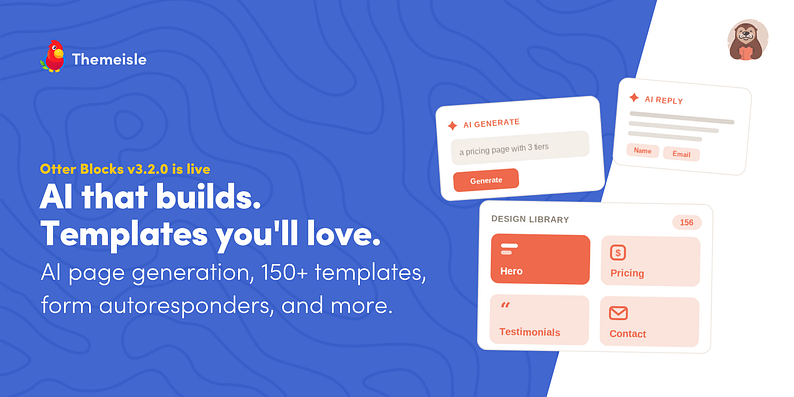
Otter Blocks 3.2.0 is now live, bringing AI that builds full sections and pages, a redesigned AI writing toolbar, AI form autoresponders, a completely rebuilt Design Library, a new Content Slider block, more reliable forms, and full WordPress 7.0 support.
This release focuses on the slowest part of building in the block editor: getting started. Whether you generate a section with AI or drop in one of 150+ ready-made templates, Otter 3.2.0 helps you create and edit pages faster and keep them on-brand.
New to Otter Blocks? It extends the native WordPress block editor with 25+ advanced blocks, ready-made patterns and full-page templates, dynamic content, and design tools, so you can build complete, good-looking pages right inside Gutenberg. It is free on WordPress.org, with a Pro version that adds premium blocks, templates, and more.
Quick Links:
The new AI settings tab
Before the features, there is one new place worth knowing about. Otter 3.2.0 adds a dedicated AI tab to its settings, and it is the first thing to set up. From here, you choose which AI model powers every Otter feature, from generating pages to rewriting text and replying to form submissions.
It plugs into the native AI connectors introduced in WordPress 7.0. Connect whatever AI provider you use at the WordPress level, and Otter picks it up across every feature, with no separate key to paste into each tool.

Not ready to update to WordPress 7.0 yet? No problem. Otter stays fully backward compatible. Simply add your OpenAI API key in Otter’s settings and use all AI features as before. When you’re ready, switch to the native WordPress AI connectors and manage everything from WordPress.
AI that builds, not just edits
Until now, Otter’s AI has mostly helped you tweak words: rephrase a sentence, make it shorter, and fix the grammar. In 3.2.0, the AI can build.
Add the new AI Content Generator block and describe what you want to build. Within seconds, it creates real, editable blocks directly on your page.
Need only one section? Generate a hero, pricing table, or testimonials block. Or generate an entire page. Otter automatically matches your theme colors to the existing page style, so the result feels on-brand rather than generic.
The AI writing toolbar got a big upgrade
Otter’s AI text toolbar is not new, but in 3.2.0, it becomes yours to shape. The familiar actions are still one click away. Select any text to rewrite, summarize, expand, shorten, translate, change the tone, fix grammar, or simplify it, all without leaving the page.
What is new is the control. You can now create custom actions with your own prompts, so a task you repeat often, like translating into Spanish or rewriting copy in your brand voice, becomes a one-click button. Reorder the actions, turn off the ones you do not use, and set it all up from the new AI settings tab.
AI that answers your forms (Pro)
Otter Pro adds AI form autoresponders. Write a prompt using your form fields, set a fallback message for when AI is unavailable, and configure Otter to reply to every submission with a personalized, AI-written message. It is a simple way to send thoughtful, on-brand responses at scale.
A completely rebuilt Design Library
We rebuilt the Design Library from the ground up. The old grid is gone, replaced by a fast, searchable library of 150+ ready-made templates.
Of those, 50 are free, and the remaining 100+ come with Otter Pro, alongside 10 premium full-page template packages. You can search by keyword, filter by style (Dark, Light, Classic, Glass, Poster, Editorial, Clean, Gradient, Neon), and browse designs by section or as complete pages. We organized every pattern into better categories and tags. You can preview and insert any pattern in your accent color so it lands on-brand.
Slide any blocks, not just images
The new Content Slider block turns any inner blocks into slides, not just images. Build a slide once using the blocks you already use, cards, testimonials, pricing tables, and visitors can swipe through the rest. It is a lightweight way to add a slider without reaching for a separate plugin.
A cleaner Block Conditions panel
Block Conditions lets you show or hide any block based on rules like user role, login status, date, and more. In 3.2.0, the panel has been reworked to be cleaner and less cluttered, making visibility rules faster to set up and easier to read.

Also in this release
- Spam protection without the friction: Otter now offers Cloudflare Turnstile, a lighter alternative to reCAPTCHA, plus a configurable Reply-To so form replies land in the right inbox.
- Dynamic content, no code: Pull values straight from ACF Repeater fields, including nested images and sub-fields.
- Built for what is next: Every block moved to Block API v3, which clears editor warnings and makes the whole plugin faster, smoother, and ready for WordPress 7.0. Plus accessibility improvements (image alt text and screen-reader labels) and a range of fixes.
- More reliable form submissions: Save entries to the database before sending the email, so a mail failure never loses a lead.
You can read the complete list on the Otter changelog.
Update to the latest version today
Otter Blocks 3.2.0 is rolling out now. Update from your WordPress dashboard, connect your AI provider, and start building with Otter AI.
Not using Otter Blocks Pro yet? Upgrade today with a 30-day no-questions-asked money-back guarantee and unlock the full power of Otter Pro.
If you have questions or feature requests for the next release, feel free to leave a comment below

FREE GUIDE
4 Essential Steps to Speed Up Your WordPress Website
Follow the simple steps in our 4-part mini series and reduce your loading times by 50-80%. 🚀


