
Otter Blocks
Build faster in Gutenberg with powerful blocks, patterns, & AI
Lightweight blocks, ready-made patterns, and AI tools built right into the block editor. Each block loads only what it needs, so your site stays fast.

Trusted by More than 300K Happy Users
⭐⭐⭐⭐⭐ 4.8 Rating | 3,314,000+ Downloads
Everything you need to build, right inside the block editor
From a personal blog to a full WooCommerce store. Otter turns basic blocks into expressive layouts in seconds. Your content stays native Gutenberg, so switching themes or removing plugins never breaks your site.
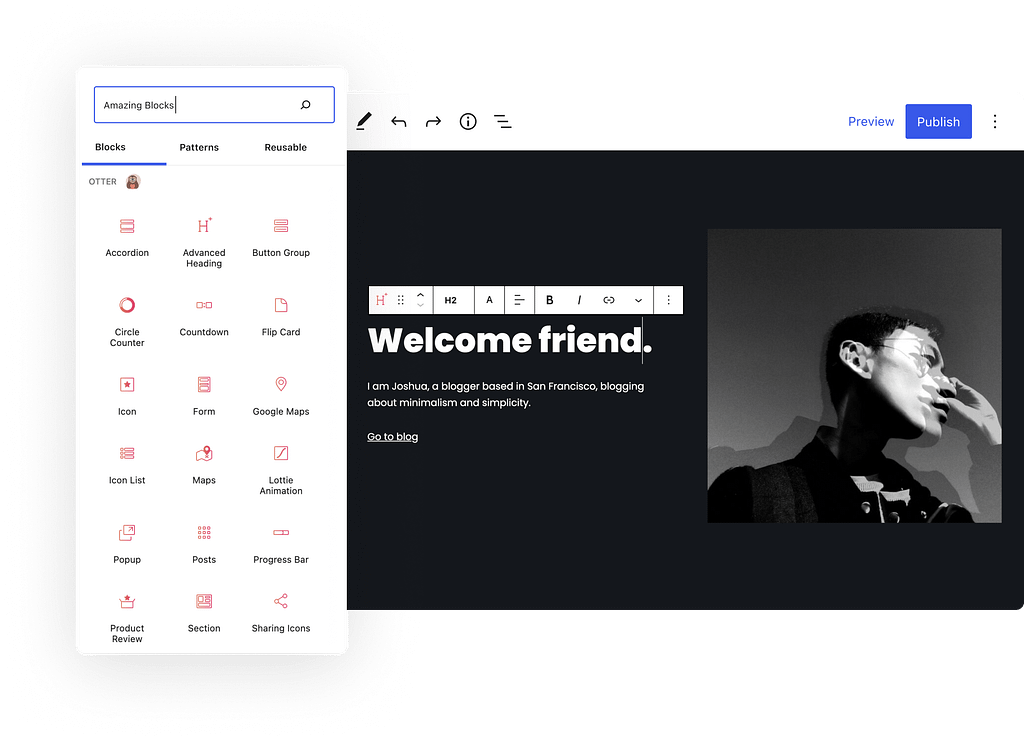
25+ BLOCKS · LIGHTWEIGHT · FREE & PRO
Every block your site could need, all in one plugin
Forms, popups, sliders, reviews, maps. Everything you’d normally install five plugins for, built as lightweight blocks inside the editor you already use.
Advanced Heading Block
Headings with more customization options, like the ability to change the font, highlight parts of the text, and more.
Accordion Block
Create vertically stacked lists of content that can be revealed or hidden with the click of a button; also known as Accordions.
Section Block
Create a responsive section with up to 6 columns that have advanced customization and style options.
Tabs Block
Use this block to create horizontally stacked lists of content that can be revealed or hidden with the click of a button.
Flip Block
Creates a card with a flip effect, where you can insert any content or blocks available in Gutenberg.
Slider Block
Use this Otter block to create and customize image sliders on any Gutenberg page or post.
Lottie Animation
With Otter’s Lottie Animation Block, you can display Lottie animations anywhere in Gutenberg.
Icon Block
Display and customize any icon from Font Awesome or our own list of custom icons anywhere on the page.
Button Group Block
Easily create multiple buttons and show them vertically or horizontally based on the device.
Timeline Block
Elegantly display events in a chronological timeline. Ideal for highlighting historical events, process steps, or key milestones.
Countdown Block
Counting down to a big event? Show it by making use of these Gutenberg blocks.
Sharing Icons Block
Share buttons for your website visitors to share content on any social sharing service.
Contact Form Block
Add contact forms on your site. Optionally, start generating leads by integrating them with Sendinblue or Mailchimp.
Sharing Icons Block
Share buttons for your website visitors to share content on any social sharing service.
Posts Block
Use this block to insert items from posts, pages, and custom post types into the current page being edited.
AI Block
Craft content, forms, and layouts effortlessly with AI. Share your ideas, and watch AI transform them into reality.
Google Maps
Integrate interactive Google Maps seamlessly with Otter’s Google Maps block. Enjoy Map Type, Full-Screen Control, Street View, and more.
Content Slider
Create lightweight, responsive sliders using text, images, buttons, testimonials, pricing tables, or any other block as slides.
Product Review Block
Turn your posts into smart reviews with ratings and generate leads with a performing review block.
Popup Block
Create stunning popups and fine-tune when they should appear and how they can be closed.
Modal Block (PRO)
Implement modal dialogs for an interactive experience, displaying forms, content, or announcements directly within the page layout.
Extended Live Search (PRO)
Elevate search with Otter Blocks. Real-time results and tailored post types, all in the Live Search panel.
Business Hours Block (PRO)
Create a beautifully styled Business Hours table and fine-tune its settings until it’s perfect.
Product Review Comparison (PRO)
Easily compare products or services with our Review Comparison Table feature. Simplify decision-making for your users.
Stripe Checkout Block
Effortlessly sell your products, whether they’re ebooks, licenses, or more, without the need for a full online store setup.
Add to Cart Block (PRO)
Drop an Add to Cart button block for any WooCommerce product anywhere on the post or page that you’re editing.
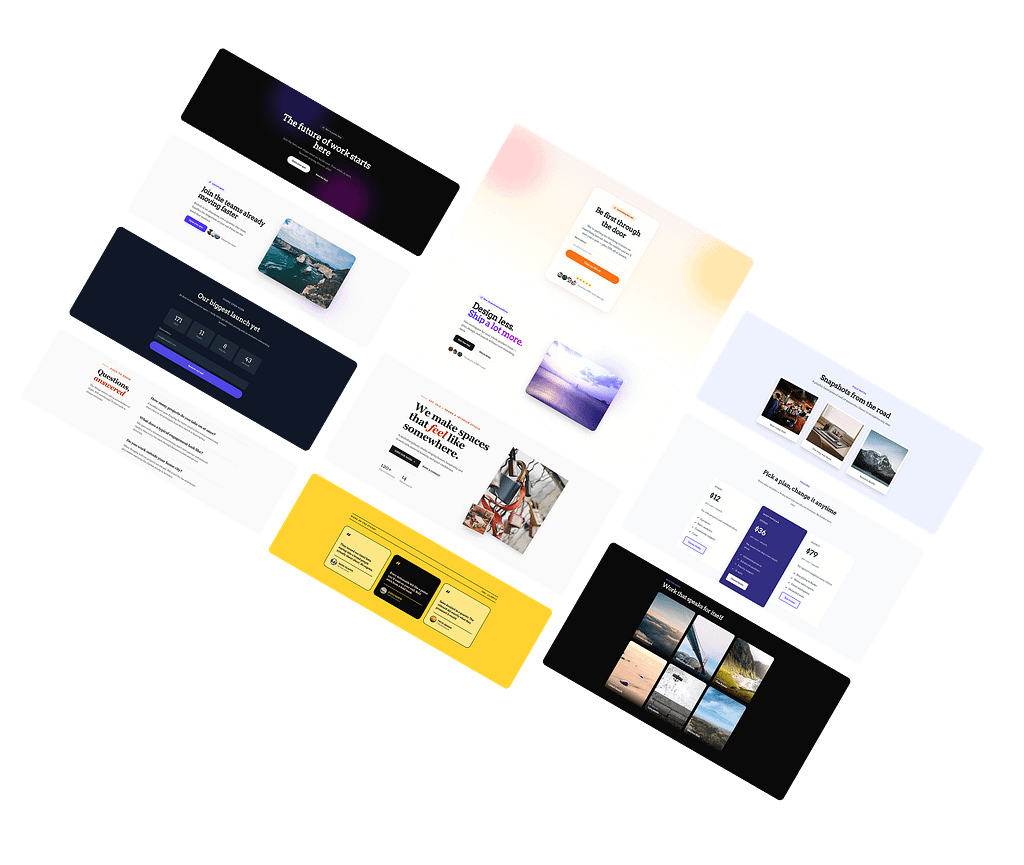
Start from a pattern, finish in minutes
Professionally designed patterns for every key area of your site: headers, pricing tables, testimonials, and complete pages. Drop one in, replace the text, done.
OTTER ADVANCED FEATURES
Powerful features, zero performance cost
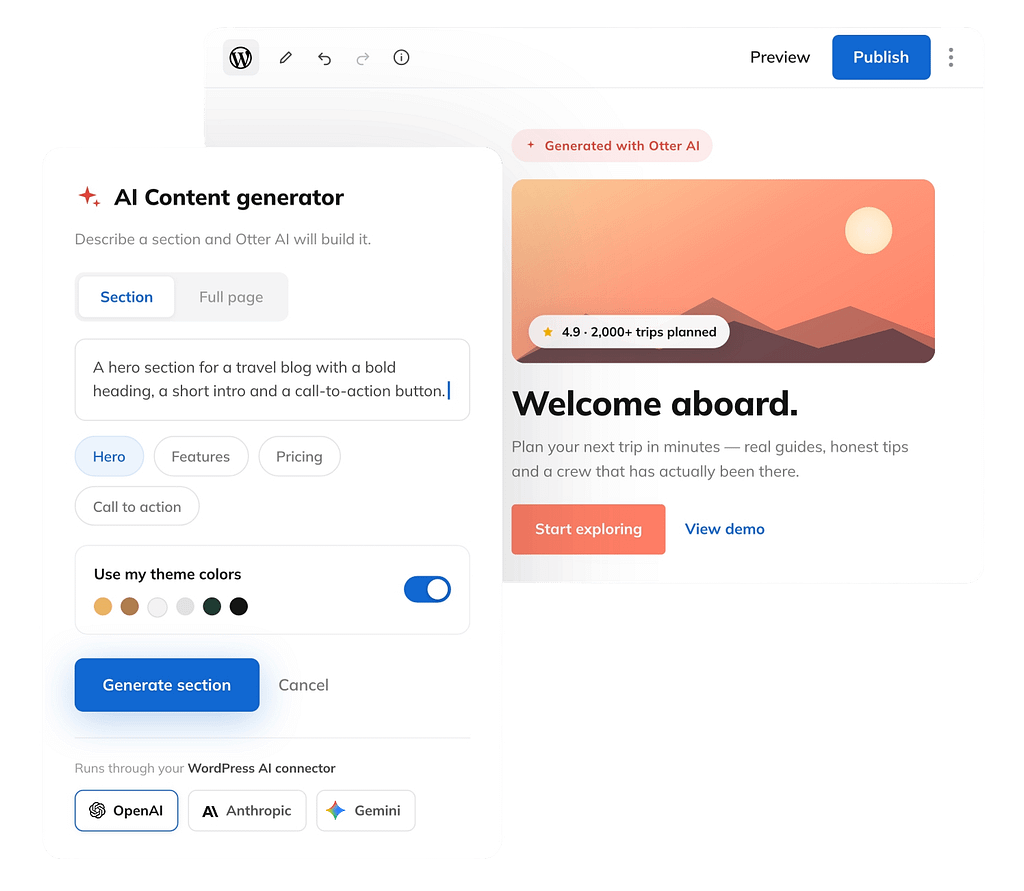
Build complete Gutenberg pages with AI New
Describe a section or an entire page, and Otter generates native Gutenberg blocks that match your site’s style. Every block stays editable, so you’re never locked into generated content.
- Generate sections or full pages from a single prompt
- Automatically matches your site’s design
- Native Gutenberg blocks you fully own
- Works with OpenAI, Claude, and Gemini through the WordPress AI connector
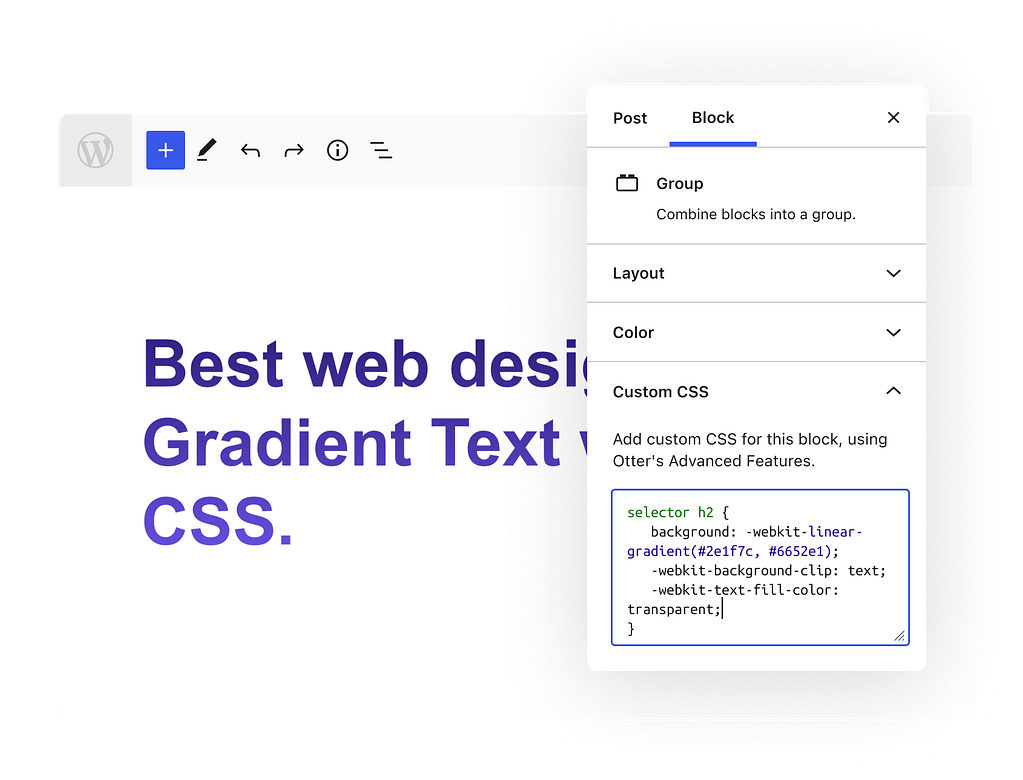
Customize Every Block with Custom CSS
The Custom CSS feature makes it possible to directly customize the CSS properties of any Gutenberg block on the page. You can add media queries, change colours, and add borders all in one easy-to-follow area.
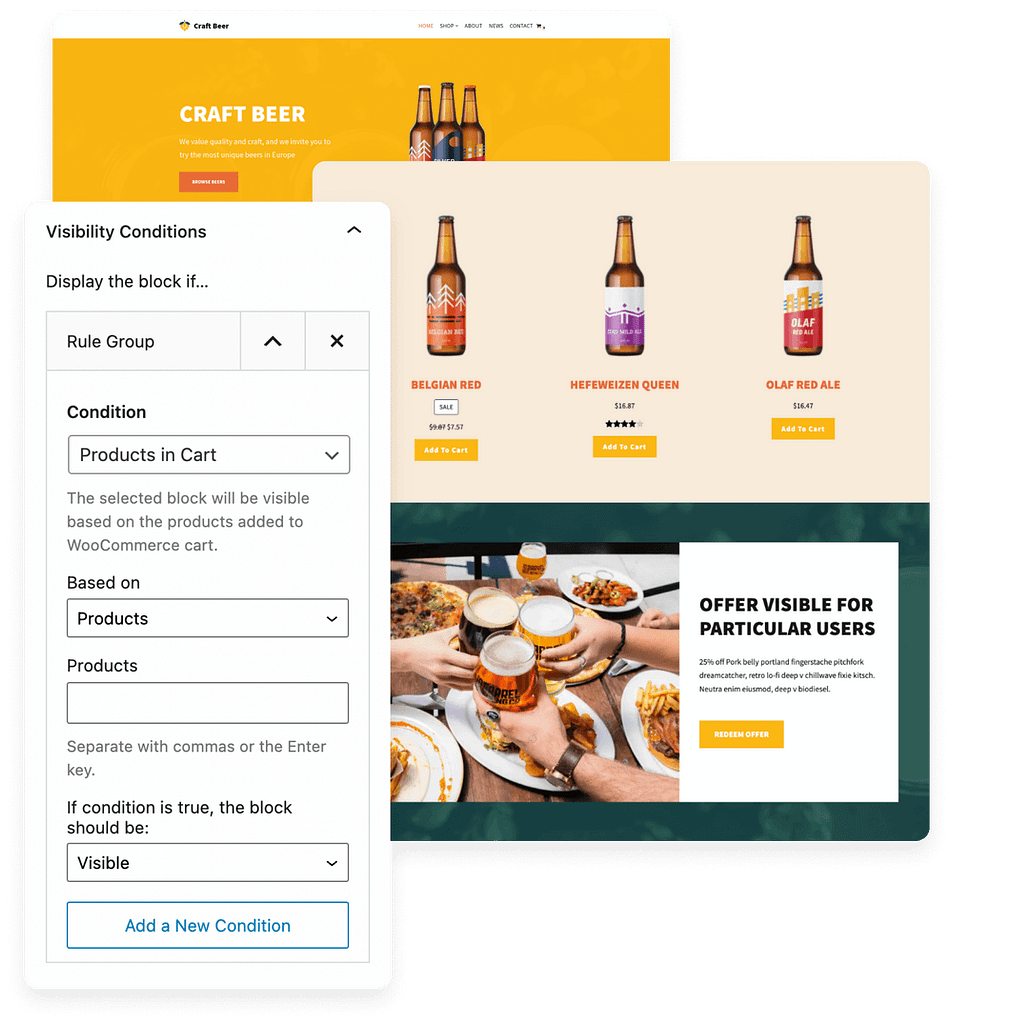
Visibility Conditions
The Visibility Conditions feature by Otter allows you to set which conditions should be met for your chosen blocks to be displayed on the page. The following conditions are available now, and more are on the way:
- User Roles, Logged In/Out Users
- Post Type, Author, Meta, Category and others
- Date Range and Recurring Events
- WooCommerce Products in Cart, Purchase History
- LearnDash compatibility
- Query String
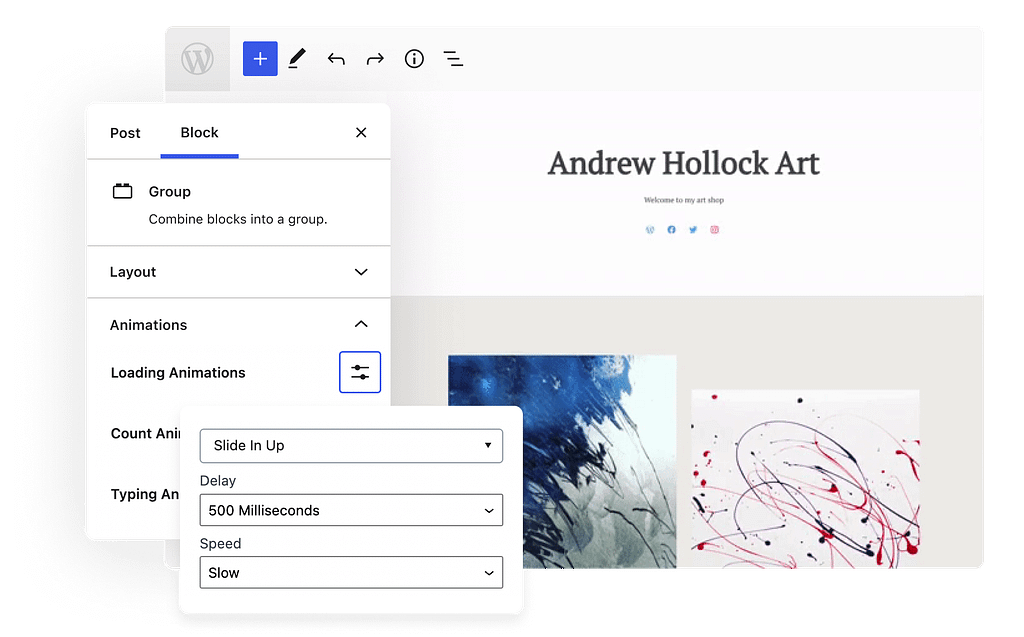
Animations
This feature makes it quick and easy to add animations to any block, enhancing the appeal of your different page blocks and sections. This feature adds more than 55+ motion effects, including:
- Fading
- Bouncing
- Flipping & Rotating
- Special Animations
- Sliding
- Zooming
- Rolling

WooCommerce Builder Blocks PRO
Build custom Single Product Pages using WooCommerce Builder Blocks by Otter. All the new features are designed to maximize your conversion rate and bring more improvements.
Advanced Blocks PRO
Enhance your website’s design with powerful blocks, like the Add to Cart, Business Hours, Review Comparison, and dozens of WooCommerce blocks.

Experience Otter Blocks Pro with One-Click on a Test Site!
Get hands-on with all Pro features and blocks to determine if Otter Blocks fits your project goals.
Success Stories from Otter Pro Users
Join thousands of users who unlocked the full potential of their websites by upgrading to Otter Pro.
Try it yourself with a 30-day money-back guarantee!






Based on 245+ reviews on


Based on 450+ reviews on


Amazing block plugin! Very well integrated with block editor, functional, clean and easily customizable. Strongly recommend! Works nicely with Themeisle themes as well as WordPress standard themes including Full Site Editor themes.

@hullukettu
VERIFIED
Loving Otter Patterns! So much time saved. I love the template sites because all the hard work is done, leaving lots of time for what I call the fun stuff, picking the site colors, fonts, etc. And when I did run into something, I got a quick response in the support forum.

@hollysdayz
VERIFIED
I am very satisfied with Otter – a fantastic collection of blocks. And the plugin is perfectly integrated with Gutenberg and complete enough for my needs.

Maria Gonzales
VERIFIED
I have been using Otter for a few days and I am loving it. It adds great blocks to Gutenberg and you have great control over the blocks.

Terrence Howard
VERIFIED
A simple and effective collection of blocks – that works in various use-cases on my several domains. I have tested many block plugins – but this one is really outstanding.

Lillian Cooper
VERIFIED
NEED A HAND?
Frequently Asked Questions
Yes. The core plugin is free forever, with 20+ blocks, patterns, and features like Custom CSS and Animations. Otter Pro adds premium blocks, the WooCommerce Builder, dynamic
content, advanced form features, and priority support.
We’ve created a complete documentation library, to help you with our products. Discover over 20 tutorials to help you get started using this plugin: check Otter Blocks Documentation.
No. Otter is built to be lightweight: each block loads only the CSS and JS it actually uses, so unused blocks add zero weight to your pages.
Not at all! Using Otter Blocks and the new block editor you can do pretty much anything without any coding skills.
Otter works with any theme that supports the block editor. It is built by the same team behind the Neve theme and tested across popular themes.
Anyone looking to bring out the best features of the new Gutenberg Editor with useful and easy to use Gutenberg blocks and advanced features like Custom CSS, Animations and Visibility Conditions.
Yes, you can use our Agency License to set up Otter Pro on your customers’ websites, unless you are offering hosting services.
Every plan has a 30-day no-questions-asked money-back guarantee. Email support within 30 days and you get a full refund.
See how Otter compares with popular block plugins in our detailed comparisons:
If you have not found the answer to your question here, get in touch and we will be happy to help.

Trusted by More than 300,000+ Happy Users
Join thousands of WordPress websites using Otter Pro to build beautiful, interactive pages with 30+ powerful Gutenberg blocks, AI tools, and advanced design features.