


WordPress is fantastic for photographers because it’s easy to use and flexible, but a basic WordPress installation isn’t going to give you everything you need for a show-stopping photography website. It’s no different than buying your first camera and using the free lens that comes with it. Sure, it works, but you quickly realize its limitations. Your website is no different. And just like you can install different lenses on your camera, you can install WordPress photography plugins on your site to enhance its functionality.
These plugins can help you: organize your media library where your photos are stored, optimize your images for faster load times, add watermarks, connect your Instagram photo feed to your site, and more.
Let’s take a closer look at six great options that will elevate your photography site to the next level.
Best WordPress plugins for photography websites 📸
In this article, we’re going to familiarize you with six of the best WordPress plugins for photographers and tell you:
- What each plugin does
- How each plugin works
- Why you need each plugin
- How to get started with each plugin
1. Media Library Organizer

The Media Library Organizer plugin lets you create folders and subfolders to categorize all of your photographs in whatever way makes sense for you. The days of endlessly scrolling through 1,000+ photos to find that one image from a wedding you were hired for five years ago are over.

How it works
The plugin is very intuitive. Once you install it, you can head over to your media library and start adding folders by clicking the blue + New Folder button. If you want to add child folders, simply right click on an existing folder and tap on + Add Child Folder. To add images to any one of your folders, you can drag and drop them from the media library to a folder. Alternatively, you can click on an individual image, scroll to the bottom, and check off which folder you’d like it to be placed in.
Why you need it
As amazing as WordPress is, one drawback of it is that you can’t create folders to organize your media files. For photographers – especially professionals – this can be incredibly frustrating. The reason is simple: volume. A photographer’s media library can easily swell to 1,000s of photos if they are publishing albums that correspond to photo shoots or events. But now, thanks to this plugin, each one of those photo shoots can have its own dedicated folder.
Where to get it
The free version is available directly from the WordPress repository. You can install it on your site directly from the plugins area in your WordPress admin dashboard. There are also two premium plans available (from €49), which you can check out on the Media Library Organizer page.
2. Photo Gallery by 10Web

A good gallery plugin is one of the must-have plugins for photographers. Photo Gallery by 10Web lets you create and customize unlimited photo galleries and comes with a lot of other useful features packed in.

How it works
With this plugin, you can upload both images and videos to your site, and organize them into one or more galleries. You can also tweak how those galleries appear. For example, you can create a slideshow, show images as thumbnails, or display them using a variety of layouts. In addition, you can customize the lightbox display that will appear when each individual image is clicked on.
Why you need it
While WordPress does let you create image galleries, your options for customizing them are slim. Photo Gallery by 10Web makes it a lot easier to show off your work exactly the way you’d like. It also includes widgets to help you display your galleries wherever you want on your site. There’s even a watermarking feature, to protect your images from theft.
Where to get it
You can download a free version of Photo Gallery by 10Web from the WordPress Plugin Directory. For additional options and features, you can also pick up a premium plan, starting at $30 for a single-site license.
3. Enhanced Media Library

Enhanced Media Library is an alternative option to the Media Library Organizer. Similar to that plugin, it also extends the existing WordPress Media Library, giving you more options for organizing and sorting your various image files.
How it works
One of this plugin’s main functionalities is the addition of categories and tags to your Media Library. You can assign these taxonomies to your images and other media, making them much simpler to organize. Then, you can use a few simple filtering and ordering options within your Media Library to quickly search for files by name, type, taxonomy, date, and so on.
Why you need it
The default Media Library in WordPress is somewhat light on features. Plus, it can begin to feel cluttered if you upload a lot of images. Enhanced Media Library makes managing your site’s media a quicker and simpler process, which is a must for any serious photographer.
Where to get it
The base version of Enhanced Media Library is available for free on WordPress.org, and offers most of what you’ll need. However, there’s also a premium version for $25, which includes a few extra features (such as bulk categorization and enhanced search).
4. MetaSlider

Like galleries, slider plugins are another one of those important plugins for photographers that almost every site needs. MetaSlider helps you set up a customizable image slider nearly anywhere on your site, via an easy-to-use interface.
How it works
After uploading images to your Media Library, you can add them to a slider and supplement them with links, captions, and Search Engine Optimization (SEO) data. You can also select from various slideshow types, including different transition effects and themes. Once your slider is ready, you can use a shortcode to place it wherever you like.
Why you need it
Sliders are deceptively simple features that display your images in an attractive and dynamic way. You can use them to show off your best work, collect photos from various events or collections, or in whatever way works best for your site. Including a slider with a few particularly striking images on your home page is an especially smart strategy.
Where to get it
The free version of MetaSlider contains all the basic features you’ll need. The premium version, on the other hand, provides advanced features to help you customize your sliders more completely.
5. Optimole
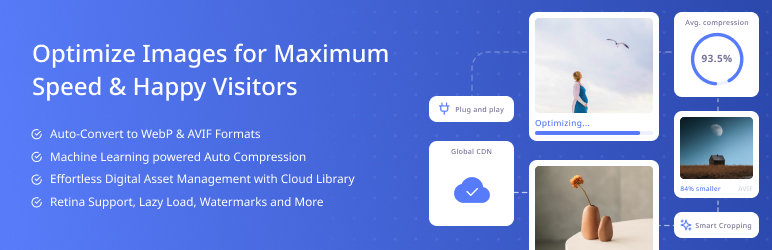
Optimole is an image optimization plugin, which compresses your image files to make them smaller in size, with no or very little loss in quality.
How it works
Optimole resizes and compresses your images. Then, you can also have it serve up your images via its own Content Delivery Network (CDN) so that your images load fast for visitors around the world. Finally, Optimole can also serve the most optimized image depending on which device a visitor is using. This process is automated, so all you need to do is upload images and let the plugin do its work.
Why you need it
Speed is essential on any website. However, the more content your pages contain, the slower they’ll typically load. Uploading and displaying a lot of large image files – as you naturally will when building a photography website – is an easy way to slow down your site. However, optimizing those images with Optimole keeps your site loading fast, without impacting image quality.
Where to get it
The plugin itself is available for free. However, you’ll also need an Optimole plan in order to use it. There’s a free tier offering unlimited image optimizations per month for up to 2,000 monthly visitors. Beyond that, there are three premium plans (starting at $19.08 per month) with more capacity.
6. Instagram Feed

Instagram Feed makes it easy to include an automatically-updating feed of the latest posts from your Instagram account. Beyond your latest photos, it will also add a Follow on Instagram button that makes it easy for people to subscribe.
How it works
Instagram Feed lets you connect your Instagram account with the click of a button. After that, you can customize how your feed looks and then display it anywhere on your site using the provided shortcode.
Why you need it
If you’re an avid photographer, Instagram is probably your platform of choice. Instagram Feed not only makes it easy to showcase your latest work from Instagram, but it can also help you grow your Instagram following by connecting website visitors to your Instagram account and letting them follow you with the click of a button.
Where to get it
Instagram Feed is available for free at WordPress.org. There’s also a $49 Pro version that gives you more customization options, like different layouts for your Instagram feed.
Start using these plugins for photographers today! 🔌
If you want to enhance your website, these plugins for photographers help you add new functionality to your site, manage your photos more efficiently, and keep your site loading fast.
To recap, you’ll want to check out:
- Media Library Organizer: Easily create folders inside your media library to organize your photos.
- Photo Gallery by 10Web: This plugin lets you create and customize as many image galleries as you’d like.
- Enhanced Media Library: With this tool, organizing and sorting through your WordPress Media Library becomes much easier.
- MetaSlider: Sliders are dynamic and compelling additions to your site, and MetaSlider offers a lot of options for creating them.
- Optimole: If you’re worried about your pages slowing down, you can use Optimole to compress and optimize them automatically.
- Instagram Feed: This plugin makes it easy to display your Instagram feed anywhere on your site.
Do you want any other type of functionality for your photography site? Let us know in the comments – you can probably find WordPress plugins for those features, too!

FREE GUIDE
4 Essential Steps to Speed Up Your WordPress Website
Follow the simple steps in our 4-part mini series and reduce your loading times by 50-80%. 🚀


