

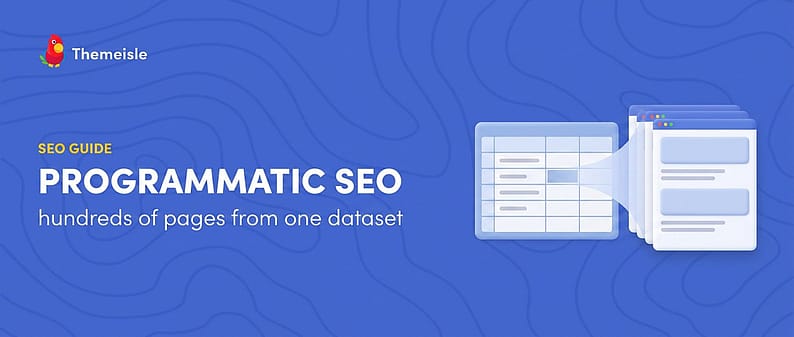
Programmatic SEO sounds like a growth-hacker buzzword, but the idea is simple: instead of writing every page by hand, you build one strong template, connect it to a dataset, and generate a page for every row. A plumbing site doesn’t write “plumber in Austin” and “plumber in Denver” separately. One great template, 500 cities of data.
Some of the biggest sites on the web grew exactly this way, and WordPress plugins now make the mechanics accessible to people who don’t code. The mechanics, it turns out, are the easy part. The strategy, and the risk management, is where most programmatic SEO projects live or die.
This guide walks through what programmatic SEO is, why it works when it works, the risks most tutorials bury (including Google’s scaled content abuse policy), a realistic six-step workflow, and where the Multiple Pages Generator plugin fits if you want to try it. No traffic promises below; nobody can honestly make one. 👍
Time to get into it.
What programmatic SEO actually is
Programmatic SEO (often shortened to pSEO) is the practice of generating many keyword-targeted pages from a single template plus a structured dataset. Each row becomes one page, and each page targets one long-tail search: a very specific, low-volume query like “convert 50 USD to EUR” or “dog-friendly hotels in Portland,” where the intent is crystal clear.
The canonical example is Zapier, which built a page for nearly every app-integration pair it supports (“connect Slack to Trello” and thousands of variations), an approach described in its own case study. Third-party write-ups put the program at 50,000 to 100,000+ pages and 2.6 to 9 million organic visits per month; treat those as rough third-party estimates that vary wildly by source, not audited numbers. The shape of the strategy, though, is well documented.
Wise is the other classic: a page for every currency-conversion route. One 2026 third-party estimate credits Wise with roughly 1.7 million programmatic pages and around 54 million monthly organic visits, again a rough third-party estimate. TripAdvisor (a page per destination), G2 (a page per software comparison), and Canva (a page per template category) get cited constantly too, though without reliable public numbers.
Notice the common thread: these pages are not copies with one word swapped. Each row carries data that genuinely changes the answer: live exchange rates, app features, real hotel listings. That property matters more than anything else in this guide. 📌

Why programmatic SEO works (when it works)
Programmatic SEO is a multiplier, not a miracle. It works when four conditions line up:
- Real long-tail demand. There is a repeatable search pattern people actually type (“{service} in {city},” “{product A} vs {product B}”). Each individual query is small; together they add up.
- Genuinely unique data per page. The dataset contains values that change what the page says, not just a swapped place name. Proprietary or hard-to-collect data is the real moat.
- A template worth landing on. One page has to fully answer the query on its own: the data up front, the context around it, whatever the searcher actually came for.
- Internal linking. Generated pages need links from hub pages and from each other, or Google may never find them, let alone rank them.
When one goes missing, you get the classic failure mode: thousands of thin, near-duplicate pages nobody asked for, including Google. The next section covers what that costs.
The honest risks of programmatic SEO ⚠️
Most tutorials skip this part or hide it under a footnote. These risks decide whether the workflow below is worth your time.
Google’s scaled content abuse policy
In March 2024, Google introduced a spam policy called scaled content abuse alongside its core update. The policy targets creating “many pages generated with the primary purpose of manipulating Search rankings and not helping users,” and it applies regardless of whether the content is produced by automation, by humans, or by some combination of the two. Sites that violate it can rank lower or be removed from results entirely, with manual actions reported through Search Console. You can read the policy in Google’s own announcement.
Read that wording carefully: the policy does not ban templates, automation, or AI assistance. It judges intent and value per page. The technique in this guide is fine when every page earns its place, and exactly what the policy targets when it doesn’t.
Enforcement has continued: Google strengthened detection in the August 2025 spam update, and SEO publications reported the March 2026 core and spam updates again went after scaled AI content, with some weak page farms reportedly deindexed within days (secondary sources, so treat the timelines as reported). Meanwhile, an Ahrefs analysis of 600,000 pages found near-zero correlation (0.011) between how much of a page was AI-written and how it ranked: the trigger is scaled, unedited publishing, not AI itself.
Getting crawled is not getting indexed
Google can crawl a page and politely decline to index it. Search Console has a coverage bucket with exactly that label: “Crawled – currently not indexed.” A small site publishing 5,000 template pages overnight should expect many of them to sit in that bucket, possibly forever. Indexing is earned page by page, and a tiny site sprouting thousands of near-identical URLs overnight looks manipulative all on its own. Scale gradually and let indexing data set the pace. 🐢
AI Overviews are squeezing the long tail
Programmatic SEO historically monetized exactly the long-tail informational clicks that AI-generated answers now absorb directly on the results page. An Ahrefs study of 300,000 keywords found that the number-one organic result gets 58% fewer clicks when an AI Overview is present. Even winning the ranking earns a smaller prize than it used to. The more defensible programmatic plays involve data, tools, or local specifics an AI summary can’t fully replace, like pricing tables or your own numbers.
Spintax is not value
Spintax is a text-spinning format that swaps synonyms to make pages look different (“{best|top-rated|affordable} dentist in {city}”). It changes the wording, not the usefulness, and near-duplicate pages are the canonical failure mode the scaled content policy describes. If two pages would give a visitor the same answer, they are the same page wearing different hats. 🎩 Spintax has its uses for small variations inside an otherwise unique page, but as a uniqueness strategy it is dead.
None of this means “don’t do programmatic SEO.” It means the margin for lazy execution is gone, and the workflow below is built around these constraints.
A realistic programmatic SEO workflow for WordPress
Here is the process, written for site owners rather than developers: six steps, each one cheap to do and expensive to skip.
Step 1: Find a repeatable search pattern
Everything starts with a pattern: a query template with a variable slot. “Emergency plumber in {city}.” “{Plugin name} alternatives.” “Cost of {service} in {state}.” Validate that real people search the pattern (keyword tools, Google autocomplete, your own Search Console data) and that you can answer it better than what ranks today. If you can’t state the pattern in one sentence, you don’t have a programmatic project yet. 🔍
Step 2: Build a dataset that differentiates every page
One row per future page, one column per fact. A plain spreadsheet (CSV or Google Sheet) is enough. The bar: every row must contain something that changes the answer, like real prices, locations, specs, or data you collected yourself. A single column of city names with nothing behind it is how page farms are born.
Step 3: Design one template that deserves to rank
The template is a single page design with placeholder slots where the row values go. Spend most of your project time here, because the template is the product. It should answer the query completely: headline data up top, supporting context, a genuinely unique content block or two, and slots for internal links to sibling pages. Honest test: if the template wouldn’t impress you as a standalone hand-written page, generating 1,000 copies of it will not improve it.
Step 4: Generate a small batch with clean URLs and a sitemap
Generate into a tidy URL structure that mirrors the pattern (for example, /services/dog-grooming/portland/), preview a sample of pages before publishing anything, and produce an XML sitemap so Google can discover the batch. Then stop. Publish 20 to 50 pages, not 2,000, and watch what happens.
💡 PRO TIP: Give the first batch a few weeks in Search Console. If Google indexes the sample pages and impressions start appearing, scale up with confidence. If they land in “Crawled – currently not indexed,” fix the template before generating more. Scaling a template Google doesn’t want just makes a bigger pile it doesn’t want.
Step 5: Link the new pages into your site
Orphan pages at scale struggle to get crawled, indexed, and ranked. Build a hub or category page that links to the generated set, add related-page blocks so siblings point at each other, and link to the batch from relevant existing content where it genuinely fits. Internal links are how Google discovers the pages and how it understands what they belong to. 🔗
Step 6: Monitor, prune, and refresh
Programmatic pages are not fire-and-forget. Watch indexing and performance per page group in Search Console, improve or merge pages that add no value, and delete the ones that never earn impressions. Generated content also decays like any other content: data goes stale, competitors catch up, rankings slip. Build a refresh habit early; this explainer on what content decay is and how to spot it is a good place to start. ✂️
Where Multiple Pages Generator (MPG) fits
One WordPress plugin built specifically for this workflow is Multiple Pages Generator, better known as MPG. Full disclosure: MPG is part of the Themeisle family of products, the same company behind this blog, so apply the usual grain of salt. The workflow above works with any tool, or with none, and the tool matters less than everything in the previous two sections.
The mechanics map neatly onto the steps. Connect a dataset by uploading a CSV, XLSX, or ODS file, or by linking a public Google Sheet. Design one template page or post with {{mpg_*}} placeholders where the row values belong ({{mpg_city}}, {{mpg_service}}, and so on). Then generate pages under a custom URL pattern like /services/{{mpg_service}}/{{mpg_city}}/, preview them before publishing, re-sync everything in bulk when the data changes, and generate a sitemap for the batch.
The free version covers one project and up to 50 rows from your source file, with the Google Sheets connection, custom URLs, the sitemap tool, and a spintax editor included (Free). Enough to test the workflow on a small dataset. The paid plans lift the row and project limits and add conditional logic in templates for Gutenberg and Elementor, project import and export, and, on the higher tiers, scheduled auto-sync with email notifications (Pro). Plan prices shift with promotions, so check the current lineup on the MPG product page rather than trusting any number quoted secondhand.
Two things deserve plain statements. First, the 50-row free cap means the classic “hundreds of local landing pages” project effectively needs a paid plan; treat the free version as the test bench, not the strategy. Second, the pages MPG generates are virtual:
ℹ️ NOTE: MPG pages are rendered on the fly from your dataset rather than stored as regular WordPress posts. The upside is no database bloat from thousands of entries. The downside, stated plainly in the MPG documentation: deactivate or uninstall the plugin and every generated page returns a 404 immediately, with nothing left in the database to export or recover. Keep the plugin, keep the pages.
User reviews are mixed. MPG sits at roughly 3.9 out of 5 across 27 ratings on WordPress.org, with around 2,000 active installs. Fans praise the template workflow and the support; the complaints mention placeholders not being recognized and 404 errors in certain page-builder combinations. Test on a staging site or small batch first, which is exactly what Step 4 told you to do. 🧪
Final thoughts 🏁
Programmatic SEO in 2026 is neither the free-traffic machine of the old tutorials nor the instant penalty of the horror stories. It is a leverage tool for sites that have, or can build, genuinely differentiated data:
- One template plus one dataset produces many long-tail pages; Zapier and Wise are the classic success stories (all public traffic figures for them are rough third-party estimates).
- Google’s scaled content abuse policy judges intent and value, not tools. Thin near-duplicates at scale are the target, whatever produced them.
- Indexing is earned per page, and AI Overviews keep shrinking the informational long tail that pSEO used to own.
- Start with a small batch, link it well, watch Search Console, and prune what doesn’t perform.
If you have real data and a real pattern, the workflow above plus a tool like MPG is a sane way to test the waters. If the plan is “spin 5,000 pages and see what happens,” the water is full of sharks. 🦈
Have you tried programmatic SEO on a WordPress site? Share what worked (or what blew up) in the comments section below!

FREE GUIDE
4 Essential Steps to Speed Up Your WordPress Website
Follow the simple steps in our 4-part mini series and reduce your loading times by 50-80%. 🚀


