
Auto Featured Image
Automatically Add Featured Images in WordPress
Generate, assign, and manage featured images in bulk inside WordPress. Save time, fix old posts, and keep your blog visually consistent.
⭐ 50,000+ Downloads | 🏞️ 10M+ Images Generated
Trusted by WordPress publishers worldwide.
⭐⭐⭐⭐⭐ Trusted by bloggers, agencies, and WordPress publishers worldwide
WHY AUTO POST THUMBNAIL?
Still Adding Featured Images Manually?
Stop wasting time setting featured images one by one. Let WordPress handle it automatically.
PROBLEM
☹️ Without Auto Featured Image
Upload images manually for every post
Fix missing thumbnails across old content
Forget to set featured images
Inconsistent blog layouts and branding
Time lost updating archives
SOLUTION
😎 With Auto Featured Image
Automatically detect images from post content
Generate featured images from titles
Search and use stock images instantly
Bulk generate images for existing posts
Keep your site visually consistent
Even at just 1 minute per post, setting featured images for 100 posts adds up fast. Bulk generate them in minutes instead.
KEY FEATURES
Everything You Need to Automate Featured Images

Bulk & Smart Generation
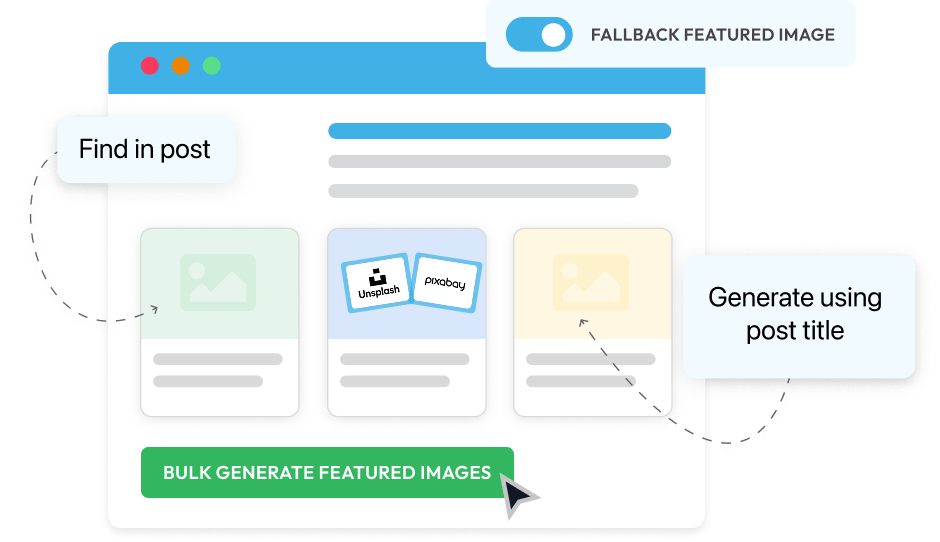
Generate featured images in bulk using all available methods: extract from post content, use post title as text, search via APIs, or apply a default image.

Filters & Fallback
Control exactly where images are generated using post type, category, status, or date filters, and set a default fallback image when none is found.

Auto-Assign on Save
Automatically assign featured images when saving posts so your content is always published with a consistent thumbnail.

Template-Based Thumbnails
Turn every post title into a branded featured image using your own background, fonts, colors, and layout settings.

Automated on Schedule
Set it once and let featured images generate automatically on a schedule to keep your entire site consistent.

Stock Image API Integration
Search and import images directly from Unsplash and Pixabay using official APIs without leaving the WordPress dashboard.
From Missing Featured Images to 100% Coverage
Stop publishing posts without featured images. See how users fixed years of missing thumbnails in minutes.






Based on 450+ reviews on


I had a blog with over 2000 posts without the featured image set properly. This plugin and about 15 minutes and the problem is solved. THANK YOU!!!

@deleyna
VERIFIED

This plugin simply works. I have a client that does not add feature images and it makes the site look bad, but this plugin solves the problem automatically.

@mediafluent
VERIFIED
Very simple to use, an other way to have cleaned posts. I try many other plugins but yours is the best actually.

@internetcommunication
VERIFIED
Got content from a very old WP instance (2009) without any post-thumbnails. Now all posts have thumbnails

@netzgestaltung
VERIFIED

50,000+ Sites No Longer Worry About Missing Featured Images
From small blogs to large content sites, thousands rely on Auto Featured Image daily.
Everything You Need to Manage Featured Images in WordPress
Generate, automate, customize, and control featured images from one simple interface built for scale.
Use Images Already in Your Posts Available in Free Plan
If your blog posts already contain images, Auto Featured Image can automatically use the first image as the featured image. No redesign. No extra work.
Detect the first image inside post content
Automatically assign on publish or update
Works with posts and pages
Apply to existing posts in bulk


Automate Featured Images Across Your Site
Generate, replace, and control featured images in bulk so your content stays consistent without manual edits.
[FREE] Bulk Generate for Existing Posts: Create featured images for hundreds of posts at once instead of editing them manually.
[PRO] Smart Filters for Precise Control: Target specific post types, categories, statuses, or date ranges to avoid unwanted changes.
[PRO] Scheduled Processing and Logs: Run generation automatically on a schedule and track every change with built-in logs.

For Bloggers
Automatically assign featured images so every post looks complete and professional. Save time on manual uploads and keep your content visually consistent.

For Content Teams
Generate, replace, or update featured images in bulk across hundreds of posts. Maintain brand consistency without editing each article individually.

For Agencies and Client Sites
Standardize featured image rules across multiple sites. Use templates, stock search, or automation to reduce repetitive manual work.
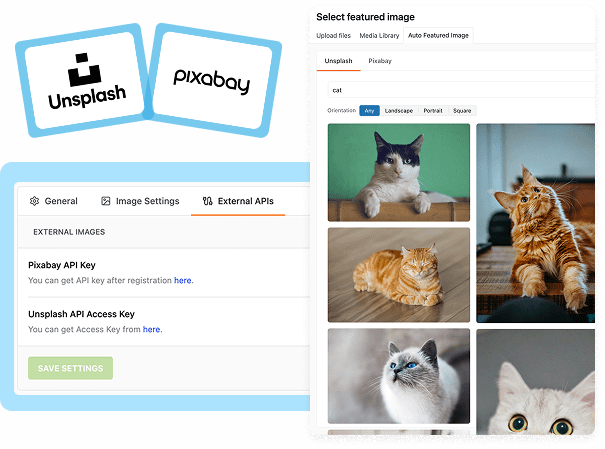
Use Stock Images Directly Inside WordPress In All Pro Plans
Search Unsplash and Pixabay from your dashboard, preview images instantly, and assign featured images without downloading or switching tabs.
Access high-quality stock images without leaving WordPress
Eliminate manual downloads, uploads, and file management
Automatically Turn Post Titles Into Branded Featured Images
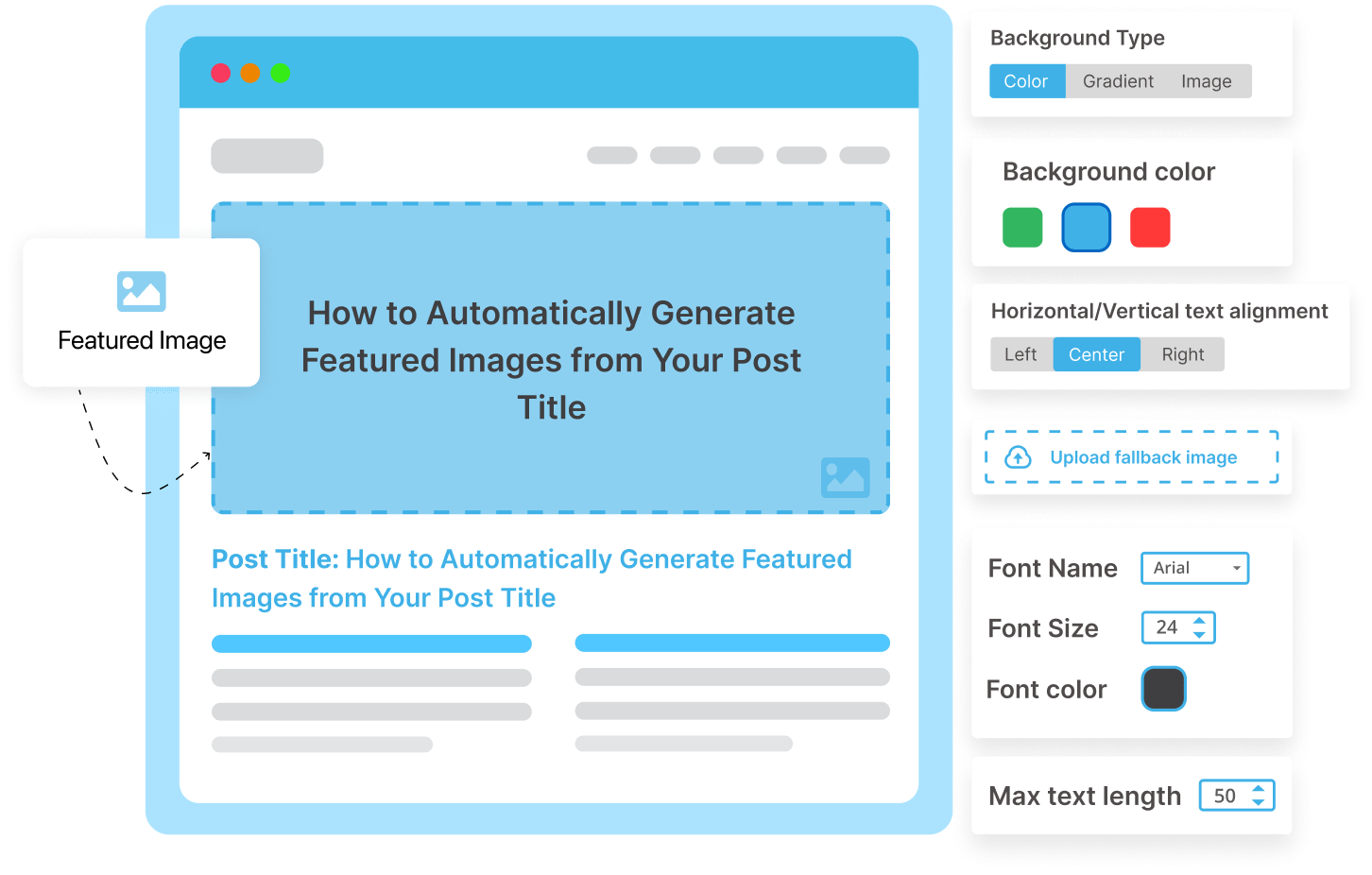
Stop designing thumbnails manually. Turn post titles into professional visuals with full control over design and layout.
[FREE] Generate from Post Title: Use your post title as image text with control over font size, color, and character length.
[FREE] Set Image Size, Format & Fallback: Define custom dimensions, choose JPG or PNG, and set a default image if generation fails.
[PRO] Advanced Background & Typography: Use gradients or image backgrounds, Google Fonts, and enhanced text styling.
[PRO] Full Layout & Positioning Control: Adjust text alignment, spacing, padding, and add custom text before or after the title.
Find The Right Plan For You
- Support & Updates for 1 Site
- Email Support
- All Free Features IncludedAll core bulk generation methods are included, including title-based images, smart content detection, fallback images, and bulk processing tools.
- Advanced Bulk FiltersFilter generation by post status, category, and date range.
- Advanced Image & Text ControlsCustomize backgrounds, typography, layout alignment, spacing, text length, and additional text elements.Filter generation by post status, category, and date range.
- Scheduled Image GenerationAutomatically generate featured images on a recurring schedule.
- Media Library Auto UploadAutomatically import and attach generated or external images to your WordPress media library.
- Stock Image API IntegrationConnect Unsplash and Pixabay APIs to search and use stock images directly inside WordPress.Ensures consistent caching and speed, even when visitors come from ads or links with UTM/tracking parameters.
- Support & Updates for Unlimited Sites
- Priority Email Support
- All Free Features IncludedAll core bulk generation methods are included, including title-based images, smart content detection, fallback images, and bulk processing tools.
- Advanced Bulk FiltersFilter generation by post status, category, and date range.
- Advanced Image & Text ControlsCustomize backgrounds, typography, layout alignment, spacing, text length, and additional text elements.Filter generation by post status, category, and date range.
- Scheduled Image GenerationAutomatically generate featured images on a recurring schedule.
- Media Library Auto UploadAutomatically import and attach generated or external images to your WordPress media library.
- Stock Image API IntegrationConnect Unsplash and Pixabay APIs to search and use stock images directly inside WordPress.Instantly loads above-the-fold images for top LCP scores, while smartly lazy-loading the rest to keep your site fast.
- Support & Updates for Unlimited Sites
- Priority Email Support
- All Free Features IncludedAll core bulk generation methods are included, including title-based images, smart content detection, fallback images, and bulk processing tools.
- Advanced Bulk FiltersFilter generation by post status, category, and date range.
- Advanced Image & Text ControlsCustomize backgrounds, typography, layout alignment, spacing, text length, and additional text elements.Filter generation by post status, category, and date range.
- Scheduled Image GenerationAutomatically generate featured images on a recurring schedule.
- Media Library Auto UploadAutomatically import and attach generated or external images to your WordPress media library.
- Stock Image API IntegrationConnect Unsplash and Pixabay APIs to search and use stock images directly inside WordPress.Ensures consistent caching and speed, even when visitors come from ads or links with UTM/tracking parameters.

* You can change plans or cancel your account at any time!
Supported by Real People
Themeisle is a global remote team of passionate WordPress professionals delivering awesome themes and plugins for more than 470,000 users.

Our products are used by





TOP NOTCH SUPPORT
Need support? Stay relaxed, we have you covered!
Our Happiness Engineers are happy to help you get the best results from our products. No matter the question, we deal with it and don’t leave you wondering what to do.
- Large Knowledge Base
- 300+ Product Docs
- 200+ Video Tutorials
- Support via Email
- 1 Business Day Reply
- Priority Support
NEED A HAND?
Frequently Asked
Questions
Once you choose a plan, you get access to a specific number of websites to activate the product. After the license is active you will start getting security updates. Yes, subdomains count as an active website (this includes WordPress multisite).
You can use the product on any number of websites owned by you or not. Keep in mind that you will only receive updates, support, and new features just for the websites with an active license.
No.
When you upgrade to the premium version of a product you get all the PRO features and everything integrates seamlessly. The extra features will be added, and your existing work will be there. If you’re still worried, you can always back up your files.
Yes, you can use our Professional and Lifetime License to set up on your customers’ websites, unless you are offering hosting services.
If you have not found the answer to your question here, get in touch and we will be happy to help.