

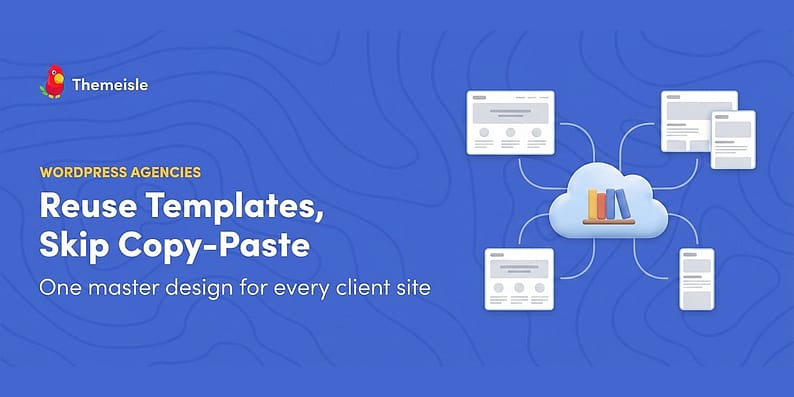
Every agency has the folder. It might be a Google Doc, a Slack channel, or one developer’s memory, but it holds The Current Version of the agency’s hero section, pricing table, and contact layout, copied by hand into every client site. And every agency knows what happens next: the version on site nine drifts, nobody is sure which copy is current, and a simple design change becomes fourteen small edits.
This guide compares three ways to reuse WordPress templates across client sites, from the manual approach most agencies start with to a cloud library that syncs designs through access keys. The goal is a workflow where the master design lives in exactly one place.
The copy-paste tax
Copy-paste reuse feels free because the first site costs nothing extra. The bill arrives later, in small denominations: the client who wants “the same hero but with their photo,” the spacing fix you apply to six sites and forget on the seventh, the new team member who copies from last year’s version because it was easier to find. 📋
The tax is not just time. It is brand drift across a portfolio that is supposed to prove your consistency. The fix is not more discipline; it is picking a reuse mechanism where drift is structurally impossible, or at least visible.
Your three options for reusing designs
| Mechanism | Syncs after import? | Works across sites? | Cost | Best for |
|---|---|---|---|---|
| Block pattern export / import | ❌ No | ✅ Manually | Free | One-off transfers, tiny portfolios |
| Synced patterns (reusable blocks) | ✅ Yes | ❌ Single site only | Free | Repeats inside one site |
| Cloud library with access keys | ✅ Library stays current (placed copies don’t auto-update) | ✅ Built for it | Paid hub (from €49/yr) | Agencies with many client sites |
Each row below gets an honest look, including when the free ones genuinely beat the paid one.
Option 1: block pattern export and import
The block editor can save any selection as a pattern, and patterns travel between sites as JSON: copy the code on site A, paste it into a new pattern on site B. WordPress core’s pattern system makes this a two-minute job per design, no plugins required.
The catch is baked into the table above: nothing syncs. The moment site B’s copy is edited (and it will be), the two copies are cousins, not twins. Export/import is a delivery method, not a reuse system. For two or three sites with designs that change twice a year, that is perfectly acceptable, and paying for more would be waste.
Option 2: synced patterns inside one site
Synced patterns (the feature formerly known as reusable blocks) solve the drift problem within a single site: edit the pattern once and every instance updates. For repeating elements on one domain, like a review disclaimer or a booking banner, they are exactly right.
Their boundary is the site itself. A synced pattern on your agency site has no relationship to the copy on a client’s site, so the cross-site problem remains untouched. Agencies sometimes chain option 1 and option 2 together: export the pattern, import it as synced on each client site. That gives every site internal consistency, but version updates still travel by hand.
Option 3: a cloud library with access keys
The third model moves the master copy off every site and into a hub you control. With Otter Blocks (free) on each client site and the Templates Cloud plugin on one hub site, your saved designs live in collections on the hub, and each client site connects with an API URL and an access key. The cloud patterns then show up directly in the block inserter, ready to place like any native pattern. (Full disclosure: both are ThemeIsle products, like this blog.)
Three properties make this interesting for agencies:
- Collections with granular access: one hub can hold a collection per client or per niche, and each collection gets its own access key, up to 1,000 sites per collection. [1] Offboarding a client means rotating one key, not visiting every site.
- One master, edited in one place: you improve the pattern on the hub, and the updated version flows to every connected site on the next sync (libraries cache for about a day, with a manual refresh available). The “which version is current” question has one answer.
- It doubles as a product: because access is key-controlled, you can sell entry to a collection, which is how some agencies package their design system as a subscription.
A concrete picture helps. Say twelve client sites share your standard “hero with booking button.” Today: twelve edits, or eleven edits and one site you find in March. With the cloud setup: you improve the hero once on the hub, and after the next sync every new page on every site uses the better version. The twelve old homepages get updated on the next maintenance round by re-placing the pattern, minutes per site instead of a rebuild. The drift did not vanish, but it became visible, scheduled, and small. 🎯
⚖️ Worth being precise: inserting a cloud pattern places a copy into the page, like any block pattern. The cloud library always holds the current master, so every new page starts from the right design, but pages already built do not rewrite themselves. Updating an old page means swapping in the new version of the pattern, which at least is a deliberate, reviewable act rather than silent drift.
The honest costs: the hub plugin is paid (the Cloud Start plan is €49 per year at current pricing), every site in the fleet needs Otter Blocks installed, and the patterns are designs, not content. Your clients’ texts and images stay theirs; what travels is the layout and styling skeleton. And one scenario to plan for: if the hub itself goes away, a client site keeps the last-synced copy of the library but gets no updates and no save-back, so put the hub somewhere permanent, not on a site a client can outgrow.

What actually travels in a reused design
A pattern carries the layout, the block structure, and the styling baked into those blocks. It does not carry your theme’s typography and color system, and it does not carry content that belongs to the client. That last 10% is per-site by design, and fighting it is how agencies end up with twelve identical sites their clients hate. 🎨
The practical implication: patterns land most consistently when the fleet shares a base. Agencies get the best results by standardizing on one starter theme and one small set of global style choices for every build, then letting the client’s logo, palette, and photography differentiate inside that frame. The pattern supplies the skeleton; the site supplies the skin. Trying to share the skin too is where reuse projects go to die.
It also keeps licensing clean: your layouts are yours to share, while each client’s images and copy stay on their site, under their responsibility. No accidental redistribution of one client’s photography to another’s homepage.
The agency setup that actually works ⚙️
Whichever mechanism you choose, the workflow around it matters more than the tool. The setup that holds up in practice:
- One master location, one owner. A single hub (or a single source site for export/import) with one named person allowed to edit master designs. Two editors is already drift.
- Collections or folders per client. Designs grouped by who is allowed to have them, not by type. Your restaurant clients never see the dental templates.
- A naming convention with versions.
hero-split-v3beatshero-final-FINAL-2. Boring, but it is the difference between a system and a pile. - An offboarding checklist. When a client leaves: rotate their access key, export anything they own, and document what remains on their site. Keys make this a five-minute job instead of an archaeology dig.
- A quarterly audit. Open three client sites at random and compare against the master. Whatever mechanism you chose, verify it is actually preventing drift rather than hiding it.

If you are building out the rest of the client-site workflow, the Gutenberg templates roundup covers the broader plugin landscape, including options for sites that do not run Otter.
A footnote: premade libraries are a different tool
One thing that confuses the shopping: some plugins ship libraries of ready-made designs. Otter’s own Design Library, for example, ships 50 free full-page templates and sections out of a larger (150+) Pro collection, ready out of the box. Those answer “give me a good starting point for this build,” not “keep my portfolio consistent.” Premade designs are a starting line for new sites; a cloud library of YOUR designs is the consistency system for existing ones. Most agencies end up using both: premade for speed on day one, their own collections for everything after. 🗂️
The distinction matters for budgeting too: premade libraries tend to come free with the block plugin, while the share-your-own layer is where paid plans begin. If all you need is a faster first draft, you may not need to spend anything at all.
When reusing designs is not worth it
Honesty section, because reuse systems are easy to overbuy. Skip the infrastructure when your portfolio is three bespoke sites a year, when every client demands a visibly different design language, or when the designs themselves change faster than the plumbing to share them would. A shared Google Doc and the export/import flow will serve you better than a hub nobody maintains. 🙃
The breakpoint arrives when you can name five sites that should carry the same section, and at least one person on the team has asked “which site has the good version?” in the last month. That is when the copy-paste tax is already being paid, and the only question is which mechanism stops the bleeding.
Bottom line 🏁
Export/import is a delivery method, synced patterns are a single-site tool, and a cloud library with access keys is the one mechanism built for many sites from the start. Pick the smallest system that makes drift impossible for your real portfolio, give the master designs one home and one owner, and let the copy-paste folder retire. Your future self, the one who would otherwise be hunting for the current version of the hero at 6 PM on a Friday, says thanks. 🙌
How does your agency share designs across client sites today? Let us know in the comments below! 💬
Sources

FREE GUIDE
4 Essential Steps to Speed Up Your WordPress Website
Follow the simple steps in our 4-part mini series and reduce your loading times by 50-80%. 🚀


