
Visualizer
Beautiful WordPress Charts, Built in Minutes
Connect Google Sheets, CSV files, or databases, or enter data manually, and turn it into a live, embeddable chart in minutes. Choose from 15 chart types, enable automatic sync, and control exactly who can view or edit your data.
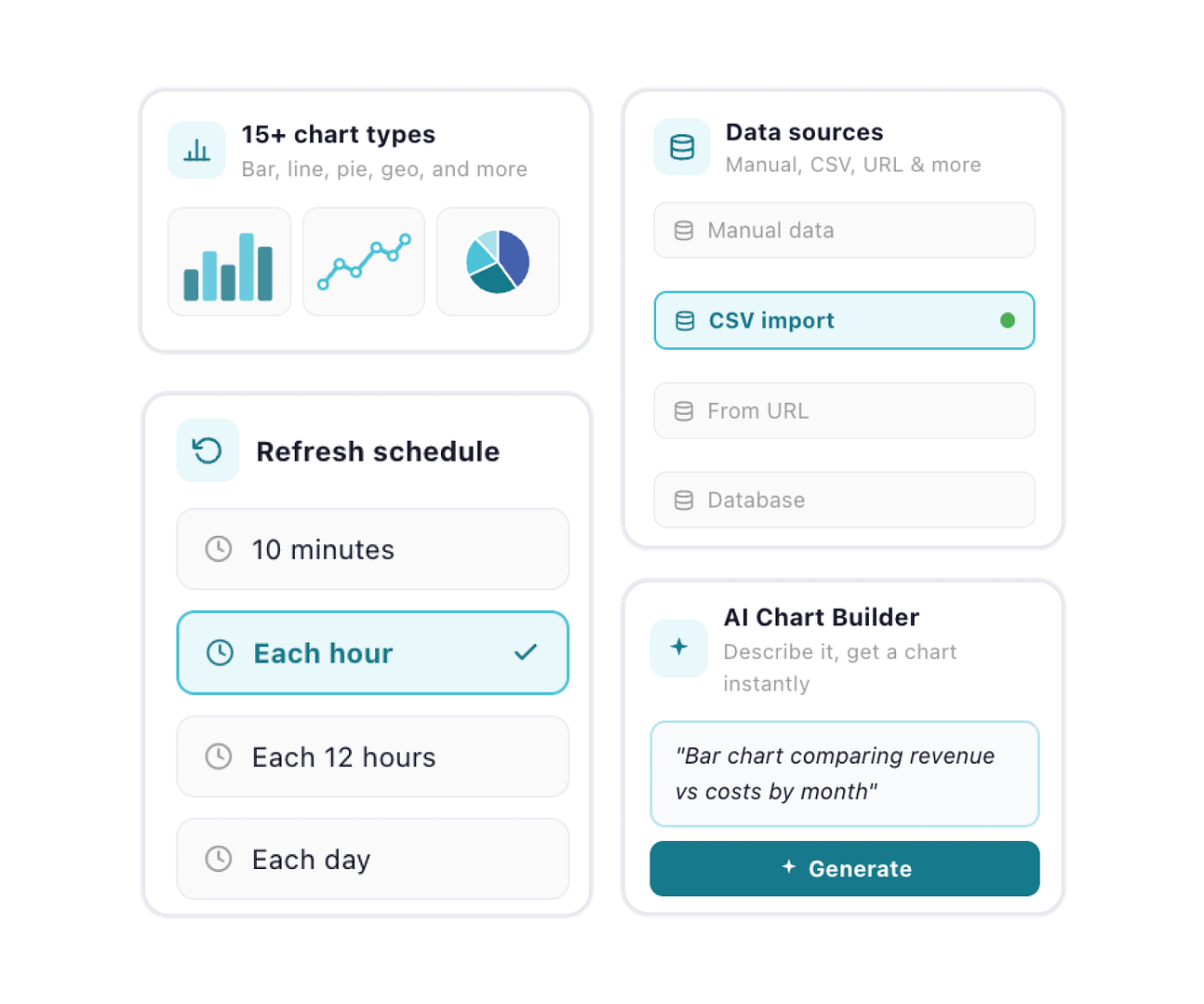




Core Features
Turn Your Data Into Interactive Charts in Minutes

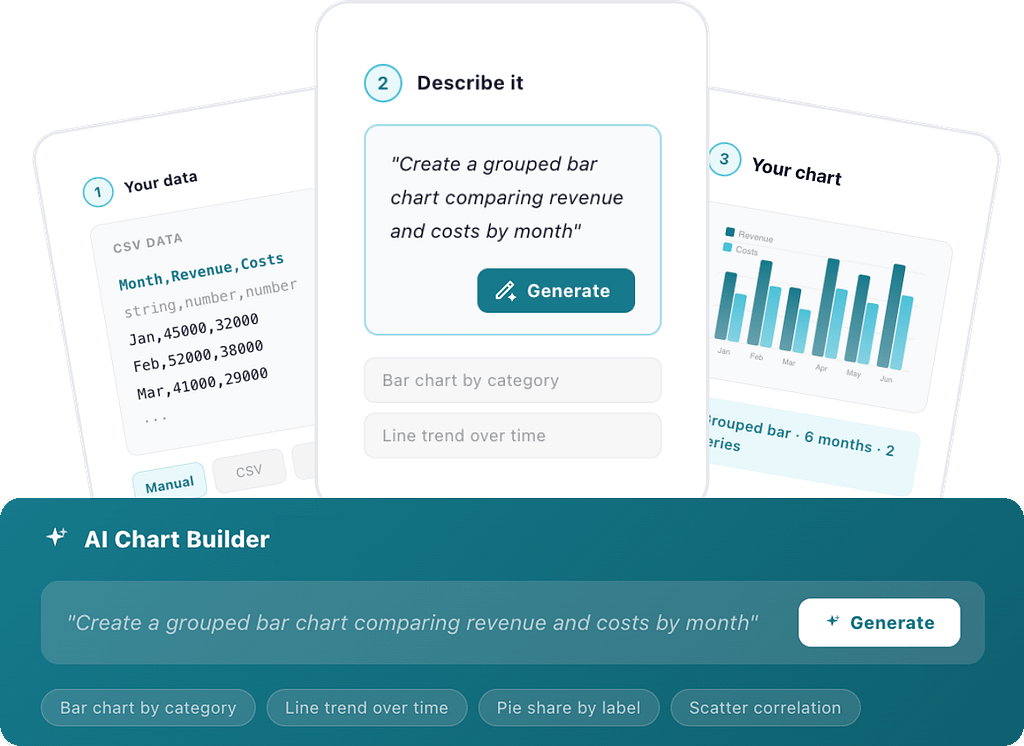
Create Charts with AI
Describe the chart you want in plain language, and Visualizer builds it for you using D3.js. No manual setup required.

Create Charts from Any Data Source
Import CSV files, connect Google Sheets, use WordPress or WooCommerce data, or enter data manually in seconds.

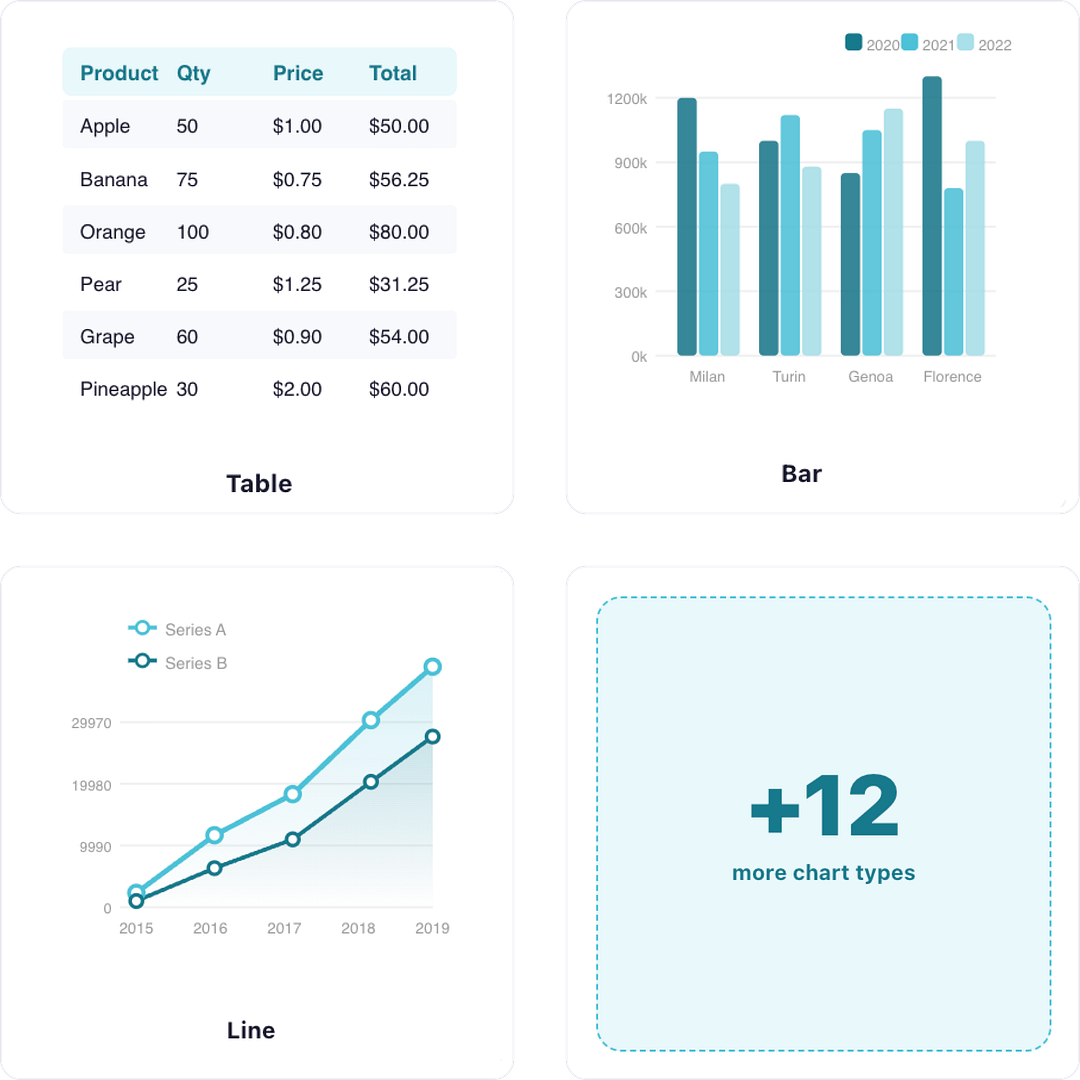
15+ Chart Types for Every Use Case
Create line, bar, pie, area, geo maps, and more to visualize any type of data clearly.

Live Charts with Sync and Scheduling
Automatically sync your charts with connected data sources or schedule updates to keep everything fresh.

Interactive Charts
Add tooltips, hover states, and dynamic interactions that make your data easier to explore and understand.

Embed Charts Anywhere on Your Site
Display charts in posts, pages, or widgets using blocks or shortcodes with full control over placement.

Trusted by More than 20,000+ Happy Users
Join thousands of creators and businesses using Visualizer to bring their data to life on the web.
DISPLAY YOUR DATA HOWEVER YOU WISH
Everything You Need to Build Better Charts
Create Charts with AI New
Describe the chart you need, and Visualizer builds it instantly using your data. No manual setup or configuration required.
Turn raw data into a ready-to-use chart in seconds
Skip manual setup and chart configuration entirely
Quickly iterate and get the exact chart you need
15+ Chart Types for Every Use Case
Start with essential charts and unlock advanced visualizations as your data needs grow.
Create core charts like line, bar, pie, & tables
Clearly show trends, comparisons, & distributions
[PRO] Advanced charts like geo, gauge, combo, & more
[PRO] Analyze complex data & multi-metric relationships
Your Data, Your Way.
Import, sync, and manage data without complexity.
Manual Data Editor FREE
Create and edit chart data directly using a simple built-in editor.
CSV, Files & Google Sheets PRO
Import CSV, XLSX, JSON, files, upload data, or connect PRO Sheets in seconds.
Live Data via URL PRO
Connect external data sources and keep charts updated automatically.
WordPress & Woo Data PRO
Visualize posts, pages, and store data directly from your site.
Database & Reusable Data PRO
Connect databases or reuse existing charts to scale your workflows.
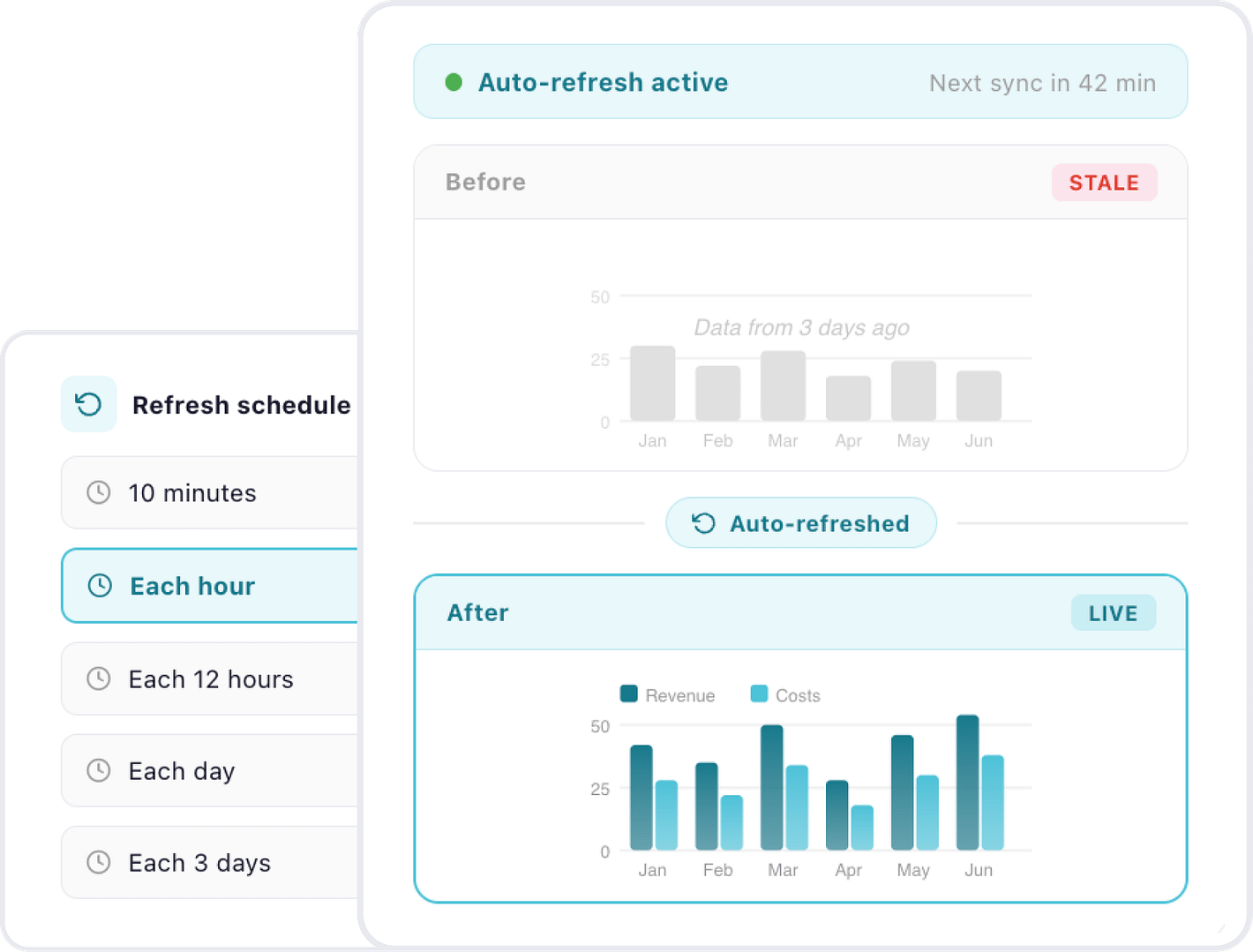
Keep Your Charts Always Updated AVAILABLE IN PRO
Keep your charts fresh and accurate without any manual updates.
Auto-refresh charts on your schedule
Set update schedules from minutes to days
Always show up-to-date charts
No manual updates or re-uploads required
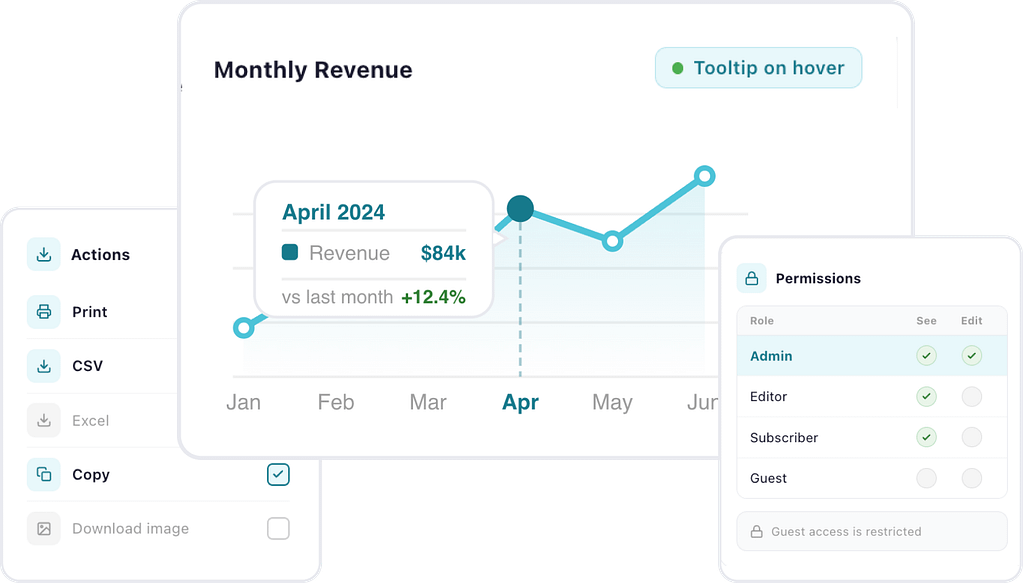
Make Your Charts Interactive
From exporting data to controlling access, make your charts truly usable.
Download, copy, or export chart data instantly
Download, copy, or export chart data instantly
[PRO] Control visibility with role-based permissions
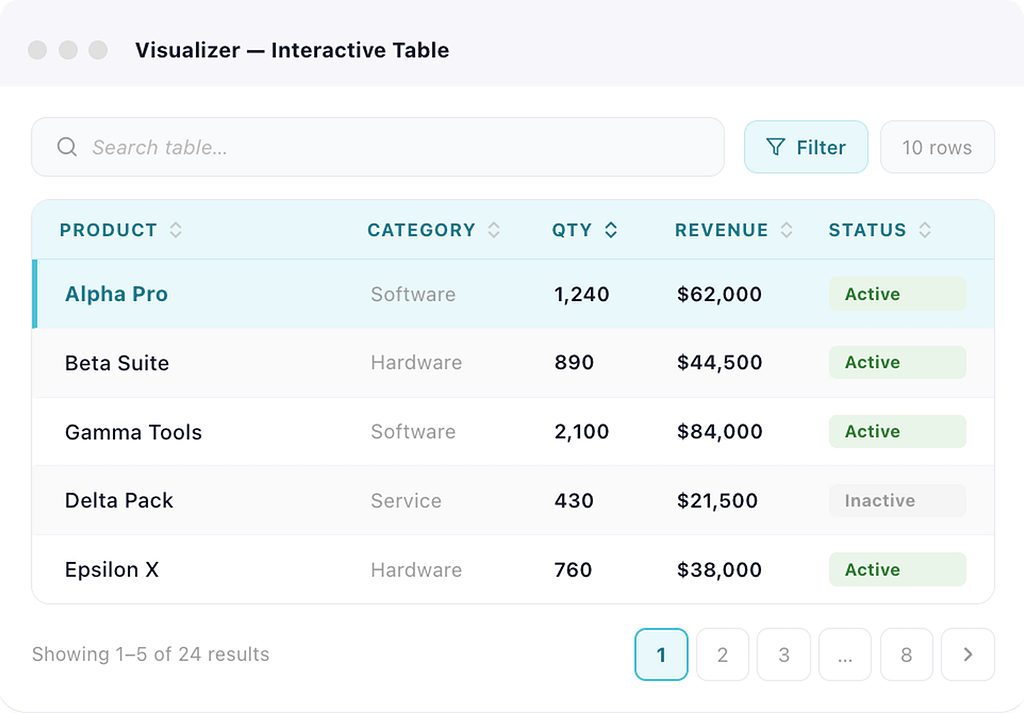
Turn Data Into Interactive Tables
Go beyond charts and present data in searchable, filterable tables.
Add pagination, sorting, & responsive tables
Keep large datasets readable with scroll & fixed headers
[PRO] Enable search, filters, & instant data exploration
[PRO] Select rows & highlight key data dynamically
Start Creating Interactive Charts and Graphs!
Try out the demo to see the power of Visualizer in action.
Powering Data Visualization on 20K+ Sites

Based on 225+ reviews on


Based on 450+ reviews on

Just what I was looking for!
Visualizer provides exactly the functionality I was looking for! The ability to specify external databases is a blessing.

@mlg4035
Easy, flexible, well documented
Exactly what I was looking for, with good documentation and easy to use.
Thanks.

@paschich
Great plugin
I honestly think that this i sone of the best plugin ever seen in his category! It works like a charm! GREAT job!

@phaser32
Visualizer: a homage to the versatility of WordPress
Visualizer is doubtless the most professional Plugin I have seen on any Content Management System, let alone WordPress!

@salmanshuaib
Great Plugin for bloggers
It’s a great plugin for new bloggers like me. It working seamlessly on my website. Thanks to the developers to make our life easy.

@shubhajits
Find The Right Plan For You
- Support & Updates for 1 site
- Standard Support We reply to your tickets within 12 business hours.
- 15 chart types
- Data Import OptionsImport data from WordPress, CSV URLs, XLSX, external APIs, or WooCommerce endpoints.
- Chart TranslationCross language barriers with your data. Use Visualizer Pro and the WPML plugin to add translations, ensuring your data speaks to everyone.
- Support & Updates for 3 sites
- Priority Support Your requests are placed ahead of Standard support, with responses within 8 business hours.
- 15 chart types
- Data Import OptionsImport data from WordPress, CSV URLs, XLSX, external APIs, or WooCommerce endpoints.
- Chart TranslationCross language barriers with your data. Use Visualizer Pro and the WPML plugin to add translations, ensuring your data speaks to everyone.
- Custom Permissions for ChartsSelect who you want to be able to view or edit your chart with our extensive permissions system.Select who you want to be able to view or edit your chart with our extensive permissions system.
- On-page Data EditorEdit your chart or table’s data on the blog post itself, save time, and see the result immediately.
- Periodic Data Synchronization (all types)Do you want your data source to update itself? Set it up to refresh every hour, day, etc.
- Support & Updates for unlimited sites
- Premium Support Receive our fastest support. Your requests get the highest priority, with responses within 6 business hours.
- 15 chart types
- Data Import OptionsImport data from WordPress, CSV URLs, XLSX, external APIs, or WooCommerce endpoints.
- Chart TranslationCross language barriers with your data. Use Visualizer Pro and the WPML plugin to add translations, ensuring your data speaks to everyone..
- Custom Permissions for ChartsSelect who you want to be able to view or edit your chart with our extensive permissions system.Select who you want to be able to view or edit your chart with our extensive permissions system.Select who you want to be able to view or edit your chart with our extensive permissions system.Select who you want to be able to view or edit your chart with our extensive permissions system.Select who you want to be able to view or edit your chart with our extensive permissions system.Select who you want to be able to view or edit your chart with our extensive permissions system.
- On-page Data EditorEdit your chart or table’s data on the blog post itself, save time, and see the result immediately. Edit your chart or table’s data right on the blog post itself, save time, and see the result right away.
- Periodic Data Synchronization (all types)Do you want your data source to update itself? Set it up to refresh every hour, day, etc.

100% Money-Back Guarantee!
Purchase with peace of mind. If you find out that this plugin does not meet your needs, we offer a 30-day no-questions-asked money-back guarantee.
*You can change plans or cancel your account at any time! Special introductory pricing, all renewals are at full price.
Install on Client Sites | |||
Supported Sites | 1 | 3 | Unlimited |
Priority Support | |||
Live Chat | |||
15 Chart Types | |||
Import from an online resource – URL (.csv file) | |||
Import from XLSX file | |||
Import from WooCommerce Reports | |||
Import from an online resource – URL (JSON file) | |||
Import from other charts (previously created) | |||
Import from WordPress | |||
Manual Data | |||
Import from database | |||
Periodic Data Synchronization | All import types | All import types | |
WPML Support for Translating Charts | |||
On-page Data Editor | |||
Custom Permissions for Charts | |||
Data Filter | |||
| Start using Visualizer today! |
Supported by Real People
Themeisle is a global remote team of passionate WordPress professionals delivering awesome themes and plugins for more than 470,000 users.

Our products are used by





TOP NOTCH SUPPORT
Need support? Stay relaxed, we have you covered!
Our Happiness Engineers are happy to help you get the best results from our products. No matter the question, we deal with it and don’t leave you wondering what to do.
- Large Knowledge Base
- 300+ Product Docs
- 200+ Video Tutorials
- Support via Email
- 1 Business Day Reply
- Priority Support
NEED A HAND?
Frequently Asked
Questions
Once you choose a plan, you get access to a specific number of websites to activate the product. After the license is active you will start getting security updates. Yes, subdomains count as an active website (this includes WordPress multisite).
You can use the product on any number of websites owned by you or not. Keep in mind that you will only receive updates, support, and new features just for the websites with an active license.
No.
When you upgrade to the premium version of a product you get all the PRO features and everything integrates seamlessly. The extra features will be added and your existing work will be there. If you’re still worried, you can always back up your files.
Yes, you can use our Infinite Plan License to set up Visualizer Pro on your customers’ websites, unless you are offering hosting services.
If you have not found the answer to your question here, get in touch and we will be happy to help.